REVENUE ENGINE / November 19, 2026
Best email marketing tools for small business in 2026
Compare small business email marketing tools. Mailchimp is the default pick; find better fits for newsletters, creators, online stores, and CRM teams.
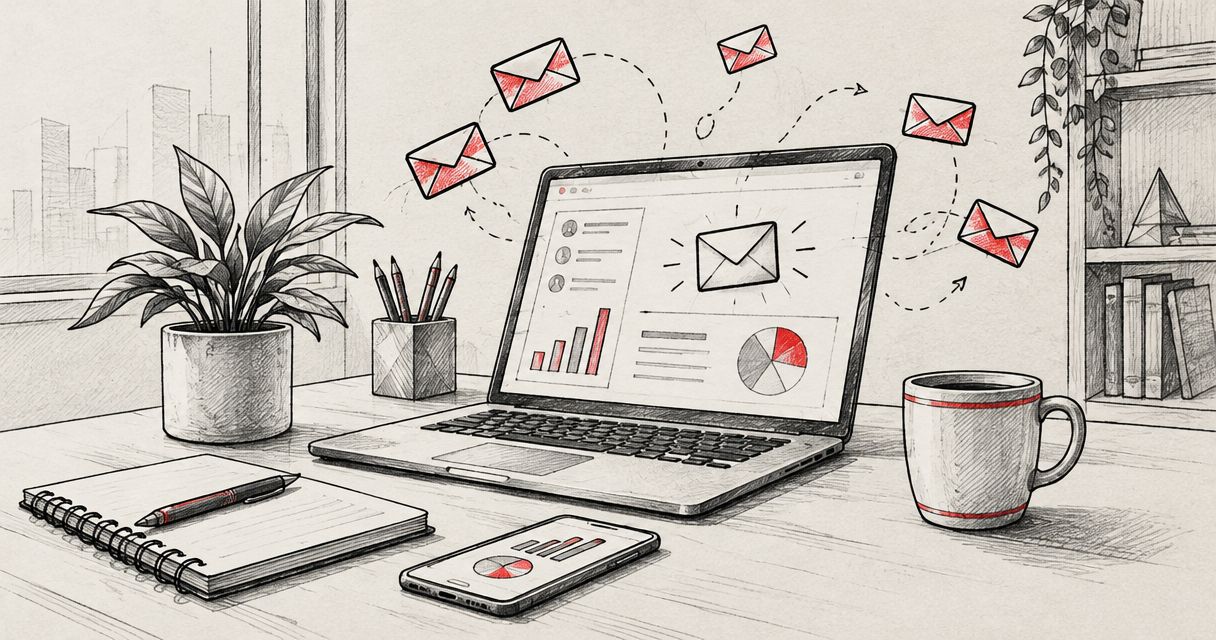
Best overall: Mailchimp. Best for email and SMS together: Brevo. Best for straightforward newsletters: MailerLite. This 2026 small business email marketing guide also covers Kit for creators, Klaviyo for online stores, and HubSpot for CRM-connected campaigns, with the trade-offs that should decide your shortlist.
- Mailchimp is the default small business email marketing pick when you need newsletters, audience segments, and automated follow-ups.
- Choose Brevo for email and SMS, MailerLite for newsletters, and Kit for creator-focused email automation.
- Choose Klaviyo for purchase-driven campaigns or HubSpot when marketing and sales need shared CRM records.
- Revenue Engine offers managed business support; email outreach and permission-based email marketing require different workflows.
Why this matters
The wrong email tool gives you another place to maintain customer data. The right one fits how you get subscribers, what you send them, and who follows up when someone responds. Start there, not with a feature checklist.
Revenue Engine provides managed AI employees for small businesses, including email outreach. That is a different buying decision from choosing newsletter software: you need to decide both where messages run and who owns the work.
This guide ranks email marketing platforms, not managed services. Revenue Engine is best for small businesses seeking managed employees across recurring business tasks, including email outreach. For permission-based newsletters, evaluate the platforms below against your actual campaign requirements.
What makes the best small business email marketing tool?
Use these criteria to narrow your 2026 shortlist before looking at individual platforms:
- Campaign fit: Your main job might be a newsletter, a creator welcome sequence, purchase follow-ups, or sales nurture. Pick for that job.
- Usable contact data: You need a clear way to track subscription status, interests, and the customer information your campaigns require.
- Relevant automation: A welcome message and a purchase-triggered sequence are different workflows. Check the trigger you actually need.
- Connected systems: Confirm how your store, website forms, or CRM shares information with the email platform.
- Everyday ownership: Someone must maintain segments, approve messages, handle replies, and investigate failed sends. Software does not remove that responsibility.
- Useful reporting: Decide which business outcome matters before comparing dashboards. Newsletter clicks, qualified replies, and purchases answer different questions.
Best email marketing tools at a glance
The order below reflects distinct use cases, not a claim that every business should choose the first platform. Match the row to your operating model.
| Rank | Tool | Best for | Standout feature | Key limitation |
|---|---|---|---|---|
| 1 | Mailchimp | General-purpose email marketing | Campaigns, audience segments, and customer journeys | Its breadth adds setup choices for a simple newsletter |
| 2 | Brevo | Coordinating email and SMS | Email and SMS campaign tools | Separate channels need separate consent and operating rules |
| 3 | MailerLite | Straightforward newsletters | Email editing, forms, and landing pages | Complex sales operations need more than a newsletter platform |
| 4 | Kit | Creator-led businesses | Subscriber tags and visual email automation | Its creator focus is not the same as store-centered merchandising |
| 5 | Klaviyo | Online stores | Segments and flows built around customer events | Useful campaigns depend on reliable store data |
| 6 | HubSpot | Marketing tied to sales activity | Email marketing connected to CRM records | Shared records require deliberate setup and maintenance |
1. Mailchimp: best email marketing tool for general use
Mailchimp combines email campaign creation, audience management, and automated customer journeys. It suits a business that needs newsletters today and wants room to add segmented follow-ups without immediately choosing a more specialized platform.
The appeal is range. You can organize contacts and build different messages for different audiences, but someone still needs to decide how that audience structure works.
Mailchimp pros:
- Supports one-off newsletters and automated follow-ups.
- Provides audience segmentation for more targeted messages.
- Combines email creation and campaign reporting in one platform.
Mailchimp cons:
- A broad feature set creates more setup decisions than a newsletter-only workflow needs.
- Poor audience organization still produces poor targeting; the platform does not define your customer groups for you.
Best for: A small business running a mix of announcements, newsletters, and ongoing customer nurture.
For your 2026 evaluation, build an actual campaign rather than browsing templates. Import a permitted test list, create a segment, send a test message, and inspect the report. You should understand the workflow without needing to reconstruct it afterward.
Verdict: Buy Mailchimp for a general-purpose email program; skip it if a specialist workflow clearly dominates your business.
2. Brevo: best email marketing tool for email and SMS
Brevo provides email marketing and SMS campaign tools. It belongs on your shortlist when customers need different messages through different channels and you want to coordinate that work within one platform.
That does not mean sending every promotion everywhere. Decide which messages belong in an inbox and which genuinely justify a text message before building campaigns.
Brevo pros:
- Supports both email and SMS campaigns.
- Includes automation for recurring communication workflows.
- Lets you evaluate multiple messaging channels within the same platform.
Brevo cons:
- SMS adds another consent, content, and suppression workflow to maintain.
- Combining channels does not resolve unclear customer preferences or conflicting campaign schedules.
Best for: A business with a specific, permission-based reason to use both email and text messaging.
During evaluation, write down a separate purpose for each channel. If you cannot explain why a subscriber should receive a text rather than an email, leave SMS out of the initial rollout. More channels should not mean more interruptions.
Verdict: Buy Brevo when email and SMS have distinct jobs; skip the multichannel setup when you only need a newsletter.
3. MailerLite: best email marketing tool for newsletters
MailerLite brings together email creation, signup forms, landing pages, and automation. It fits a business whose immediate task is straightforward: collect permission, publish useful messages, and welcome new subscribers.
Its strongest use case is a focused publishing routine. Choose it because the workflow fits, not because you expect email software to replace a customer database or sales process.
MailerLite pros:
- Combines newsletters with subscriber capture tools.
- Includes landing pages for focused signup campaigns.
- Supports automated messages alongside regular broadcasts.
MailerLite cons:
- A newsletter platform does not replace sales pipeline management.
- Advanced business workflows still require you to define how other systems connect and who maintains them.
Best for: An owner or small marketing team publishing a recurring newsletter with a clear subscriber journey.
Give yourself a practical evaluation task: build a signup page and a welcome email, then update both after changing the offer description. Notice how easily you can keep the promise on the page consistent with the message subscribers receive.
Verdict: Buy MailerLite for a focused newsletter operation; skip it as a substitute for a full sales system.
4. Kit: best email marketing tool for creators
Kit organizes email marketing around subscribers, tags, forms, sequences, and visual automation. It suits a creator-led business where people subscribe because they want a particular person's expertise, teaching, or published work.
The useful distinction is subscriber interest. Someone who joins through a writing guide should not automatically receive the same sequence as someone who joins through a different topic.
Kit pros:
- Uses tags to organize subscribers by interests and actions.
- Supports email sequences for structured follow-ups.
- Provides visual automation for mapping subscriber journeys.
Kit cons:
- Tagging needs consistent rules or the subscriber structure becomes difficult to maintain.
- A creator-centered workflow is not the same as a store-centered product marketing system.
Best for: Writers, educators, and other creators building an audience around their expertise.
Before importing contacts, define what each tag means and what action applies it. Keep topic preferences separate from customer status so you can explain why a subscriber receives a message. That discipline matters more than building a complicated automation map.
Verdict: Buy Kit for creator-led audience relationships; skip it when your main requirement is detailed retail behavior.
5. Klaviyo: best email marketing tool for online stores
Klaviyo uses customer profiles and events to support segments and automated marketing flows. It fits online stores that want messages connected to shopping and purchasing behavior rather than a single undifferentiated mailing list.
The central question is data quality. A purchase-triggered message needs the store connection to supply the correct event and customer information.
Klaviyo pros:
- Supports segmentation using customer behavior and purchase information.
- Provides event-triggered flows for recurring customer journeys.
- Connects email planning to store activity rather than newsletter schedules alone.
Klaviyo cons:
- Incorrect or incomplete event data undermines targeting and flow behavior.
- Product-based campaigns require ongoing attention to catalog information and message relevance.
Best for: An online store with a clear plan for purchase-driven segmentation and follow-ups.
For a 2026 rollout, inspect the information arriving from your store before turning on automated messages. Check that a completed purchase reaches the correct profile and that exclusions prevent an inappropriate follow-up. A visually polished message cannot fix a broken trigger.
Verdict: Buy Klaviyo for store-driven lifecycle marketing; skip it when you have no meaningful shopping events to use.
6. HubSpot: best email marketing tool for CRM-connected teams
HubSpot connects email marketing with CRM contact records. It belongs on your shortlist when marketing messages and sales follow-up need to reflect the same customer relationship.
The advantage is shared context. The work is agreeing on what contact fields mean, who updates them, and when marketing should stop sending a particular sequence.
HubSpot pros:
- Connects email activity with CRM contact information.
- Supports segmentation using customer record data.
- Gives marketing and sales a shared place to organize customer context.
HubSpot cons:
- Shared data requires agreed definitions and consistent maintenance.
- A business seeking only a newsletter inherits decisions about a broader customer system.
Best for: A small business with a sales process that needs marketing and customer records to stay aligned.
Test a real handoff during evaluation. When a subscriber becomes an active sales conversation, decide which messages should continue, which should stop, and who owns the next action. Configure that rule before adding more campaigns.
Verdict: Buy HubSpot when CRM coordination is essential; skip it for a standalone newsletter with no sales handoff.
How to choose without creating another project
Use the same practical trial for every shortlisted platform. For your 2026 decision, reserve a 30-minute review with the person who will actually own email, then work through this sequence:
- Choose the job: Write one sentence describing the recurring campaign and its intended outcome.
- Connect the data: Identify the subscription record and any customer information the campaign needs.
- Test the message: Build a test send and check links, mobile layout, sender details, and unsubscribe behavior.
- Review the result: Confirm where responses and campaign results appear, then assign the next action.
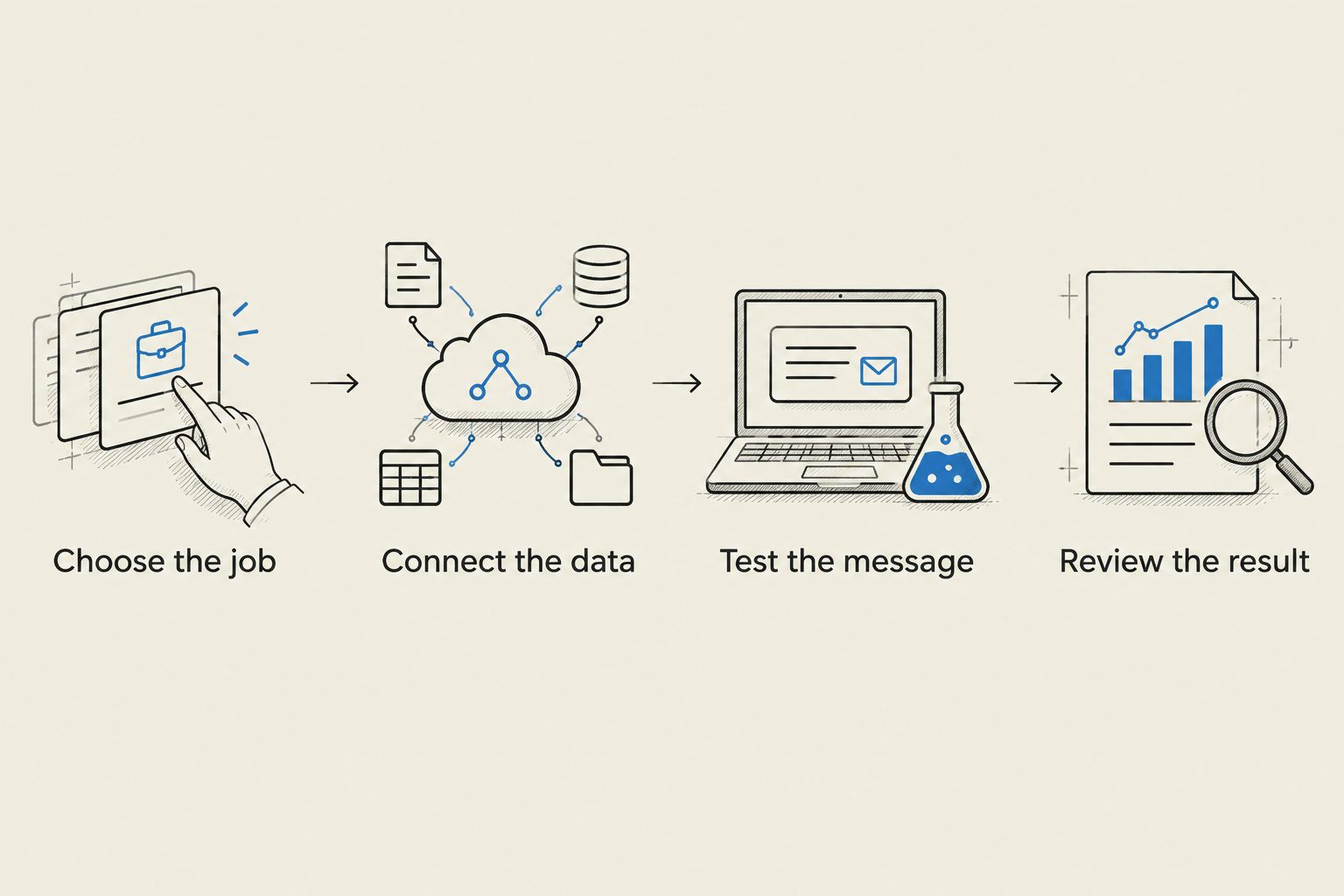
Start with 1 campaign and define 1 accountable owner. These are rollout boundaries, not performance benchmarks. Add complexity only after you can explain what happened in the first campaign and what needs to change.
How the ranking works
This is a use-case ranking based on campaign fit, contact organization, automation, connected systems, ownership, and reporting. It is not a controlled performance test or a claim that one platform produces better business results for every sender.
Mailchimp takes the default position for general email work. The remaining tools each earn a distinct slot: multichannel messaging, newsletters, creators, ecommerce, or CRM-connected marketing.
Which email marketing tool should you choose?
Choose Mailchimp if you need a general-purpose starting point and have no specialist requirement. Choose MailerLite instead when your scope is a recurring newsletter and a straightforward subscriber journey.
Your operating model settles the other decisions: Brevo for email and SMS, Kit for creators, Klaviyo for stores, and HubSpot for CRM-connected teams. Keep the shortlist to the tools that match your actual workflow.
If nobody has time to own that workflow, address ownership before switching platforms. Revenue Engine offers managed employees across business functions, including email outreach; evaluate that service separately from the permission-based email marketing platform you select.
FAQ
What's the best small business email marketing tool in 2026?
Mailchimp is this guide's default choice for general-purpose small business email marketing. Choose a specialist instead when your main requirement is creator sequences, store events, email and SMS, or CRM coordination.
Is MailerLite better than Mailchimp for a simple newsletter?
MailerLite is the more focused shortlist choice when you primarily need newsletters, signup forms, and landing pages. Mailchimp is the default here when you want a broader mix of campaigns and customer journeys.
Which email marketing tool should an online store choose?
Klaviyo is this guide's pick for online stores using customer and purchase events to guide messages. Check the store connection and event accuracy before enabling automated flows.
Should a creator choose Kit or HubSpot?
Choose Kit for creator-led subscriber relationships and HubSpot when email needs to follow a shared sales process. The deciding factor is whether your daily work centers on audience interests or CRM records and sales handoffs.
Do I need SMS with my email marketing?
You need SMS only when it has a clear purpose and the appropriate subscriber permission. Brevo belongs on your shortlist when you have defined separate jobs for email and text messaging.
Can I use an outreach list for my newsletter?
Do not treat an outreach list as newsletter permission. Check consent, applicable requirements, and the platform's acceptable-use rules before importing contacts or sending campaigns.
Does email marketing software replace the person running campaigns?
No, email marketing software does not replace campaign ownership. Someone still needs to approve messages, maintain contact rules, monitor responses, and decide what changes next.
One last thing
Test the exit, not just the signup. Before your first live campaign, unsubscribe a test contact and confirm that the person no longer qualifies for the messages they opted out of. That small check tests whether your audience rules work when a subscriber changes their mind.