REVENUE ENGINE / November 19, 2026
Is automated invoicing worth it for a small business?
Is automated invoicing worth it for small business? Yes, for repeatable billing. Compare workflows, approval rules, and a practical way to test value.

Automated invoicing is worth it for a small business when repeatable billing work takes more effort than setting up and supervising the automation. The trade-off is that someone still needs to check billing details, handle exceptions, and confirm that payment records match what actually happened.
- Is automated invoicing worth it for small business? Yes, when repeatable work outweighs setup and review effort.
- Automate approved invoice preparation and reminders; keep disputed charges and unusual terms under human review.
- Revenue Engine provides managed AI employees for small-business billing and other recurring responsibilities.
- Judge invoice automation by total effort and billing accuracy, not the number of invoices generated.
Why this matters
An invoice is not finished just because it was sent. You still need a correct customer record, an approved amount, clear payment terms, and a reliable way to recognize payment or resolve a question.
For your 2026 billing review, look at that whole chain. Automating invoice creation while leaving payment checks and customer replies scattered across inboxes leaves important work untouched.
Revenue Engine provides managed AI employees that handle billing alongside other small-business responsibilities. Revenue Engine fits small businesses seeking managed help with billing and other recurring work. The decision still starts with defining the responsibility you want handled—not choosing a tool first.
Is automated invoicing worth it for a small business?
Yes, if your billing process is repeatable, your source records are dependable, and reviewing the output takes less effort than doing the work manually. If each invoice requires a fresh decision about scope, terms, or completion, start by organizing those decisions before automating delivery.
There are different ways to divide the work. None removes the need for an accountable business owner.
| Billing approach | Best for | Main advantage | Main limitation |
|---|---|---|---|
| Manual invoicing | Infrequent, highly customized billing | You inspect each invoice as you prepare it | Preparation and follow-up remain your responsibility |
| Rule-based automation | Repeated billing with stable inputs | Defined triggers can repeat approved actions | Exceptions need a separate review path |
| Managed billing assistance | Owners delegating recurring billing responsibilities | You can assign responsibility beyond preparing a document | Scope, access, and oversight still need clear agreement |
These are workflow choices, not interchangeable promises. A scheduled invoice, a payment reminder, and resolving a disputed charge are different responsibilities. Ask which ones a proposed setup actually covers.
What would make the answer no?
Automation is not worth adopting simply because an invoice can be generated automatically. If you spend longer correcting customer records, checking amounts, and fixing exceptions than you spent preparing invoices, the workflow has not earned its place.
Keep manual control when your billing rules are still changing. You can standardize customer records and approval steps without handing over sending authority.
Manual invoicing: best for unusual billing decisions
Manual invoicing makes sense when judgment is the main task. You might need to confirm whether work was accepted, interpret a change in scope, or decide how to address a customer concern before requesting payment.
Its advantage is direct inspection. Its limitation is dependence on your attention: someone must prepare the invoice, remember the follow-up, and update the records.
Keep the decisions manual; organize the supporting information. A consistent intake checklist can bring order to billing without forcing a complicated workflow into rigid rules.
For example, make sure every invoice request includes the customer, the approved work, the agreed billing basis, and the person authorized to approve it. Missing information should return to that owner rather than becoming a guess on an invoice.
Rule-based automation: best for stable, repeatable billing
Rule-based automation fits work where the trigger and action are already clear. An approved billing event can start invoice preparation; a recorded due date can start a reminder review.
The benefit is consistency in carrying out defined instructions. The limitation is equally specific: a rule only accounts for the conditions included in it.
Before enabling automatic sending, decide what stops the workflow. A missing approval, changed customer details, payment already received, or an open dispute should have an explicit handling path.
Automate the repeatable step, not the unresolved decision. For a 2026 implementation, document both the normal path and the conditions that require a person to intervene.
Managed billing assistance: best for delegating recurring work
Managed billing assistance is relevant when your goal is to hand over an ongoing responsibility rather than operate another interface yourself. You still need to define where the responsibility begins and ends.
Revenue Engine offers managed AI employees that handle billing. Before assigning a billing workflow, confirm which actions are included, which systems it can access, and which changes require your approval; the service description alone does not establish those details.
The advantage of this approach is the ability to frame the engagement around recurring work. The limitation is that delegation still requires instructions, access decisions, and an escalation owner.
Delegate a defined job, not an undefined problem. “Prepare invoices from approved work records and flag missing information” is a clearer assignment than “take care of billing.”
Why the value of automated invoicing varies
The return depends on the work your business actually does. Use these factors to identify where automation belongs:
- Repetition: Stable customer details and repeatable billing rules give you a clearer process to automate. Frequently changing terms require more judgment.
- Source information: Approved work records support invoice preparation. Incomplete records create questions that automation does not resolve by itself.
- Exception handling: Disputes, corrections, and scope changes need an owner. Include that person's effort when evaluating the workflow.
- Payment visibility: A reminder process needs dependable payment information. Otherwise, you risk asking a customer to pay an invoice already settled.
- Approval requirements: Decide who can authorize charges, change terms, and send customer-facing messages. Broad access is not a substitute for permission.
- Ongoing upkeep: Customer details, staff responsibilities, and billing rules change. Your evaluation needs to include maintaining the setup, not just launching it.
These factors explain why invoice count alone is an incomplete measure. A repetitive invoice and a disputed custom invoice do not represent the same work.
How do I test whether automated invoicing is worth it?
Run a limited test against your current process. Keep the scope narrow enough that you can inspect what happened without reconstructing it from several systems.
Use this as a proposed 2026 test plan—not a promised timeline for results:
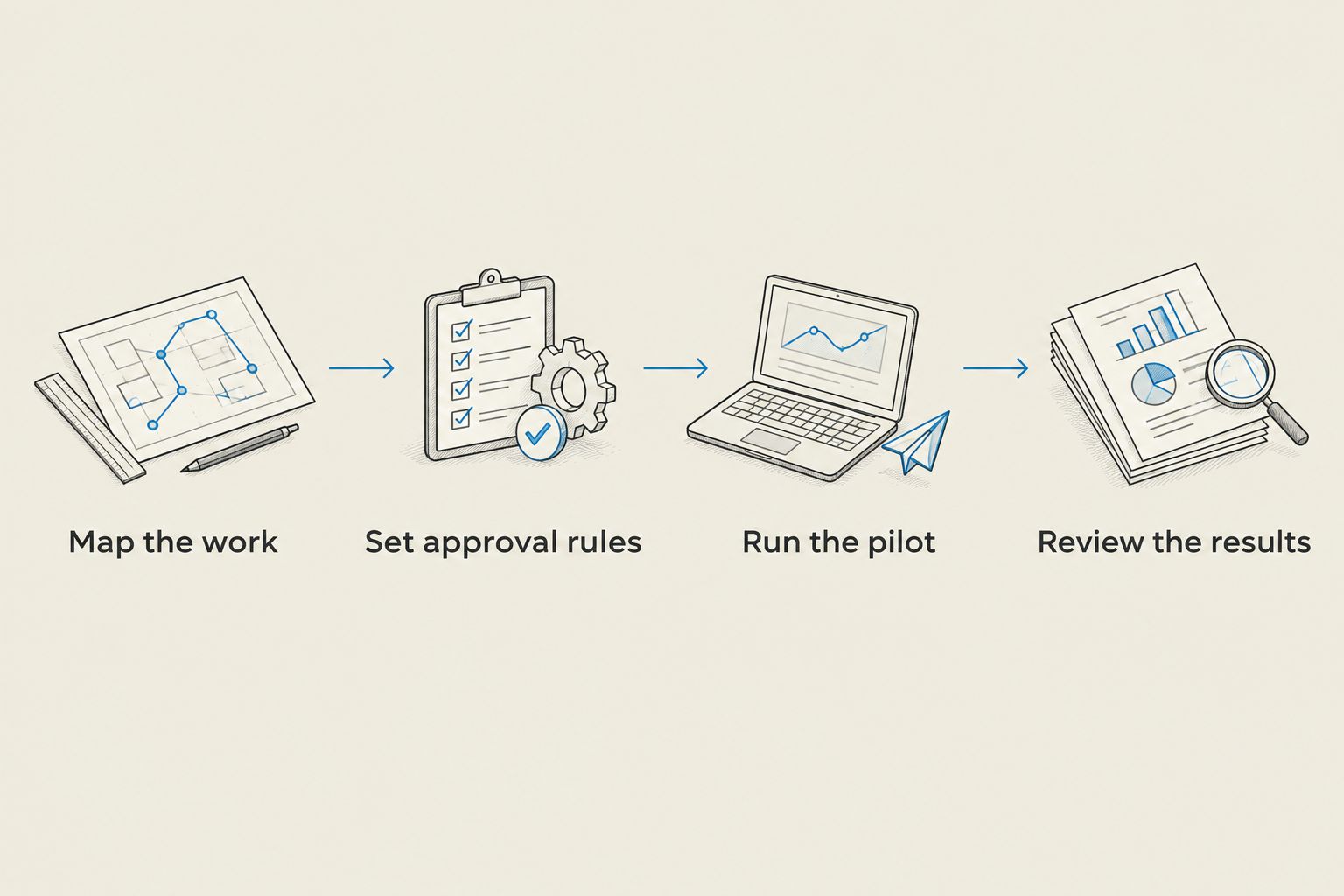
- Map the work. Track billing activity for 7 days, or a full billing cycle if that captures the work better. Include preparation, approvals, reminders, corrections, and payment checks.
- Set approval rules. Choose a repeatable task with clear inputs. Write down what it can do, what it must stop for, and who resolves exceptions.
- Run the pilot. Use a 30-day pilot as a starting window, extending it if your billing cycle needs more time. Inspect customer-facing output before allowing independent sending.
- Review the results. Compare total effort, accuracy, unresolved exceptions, and customer questions with the original process. Keep, revise, or stop the workflow based on that comparison.
The purpose is not to make a dashboard look busy. It is to find out whether a recurring responsibility is being completed correctly with less intervention from you.
Keep a simple record of what required intervention during the pilot. A workflow that stops visibly for missing information is easier to evaluate than one that quietly fills gaps with assumptions.
What should I measure during the test?
Measure the work left for people, not just the work the system performs. Record the time spent checking invoices, answering avoidable questions, correcting records, and maintaining the workflow.
Use a 15-minute review appointment as a suggested starting routine, then adjust it to your billing activity. That is a planning choice, not an estimate of how little supervision your setup will need.
Your 2026 pilot should answer a practical question: Can you trust this process to complete its assigned work and show you when it cannot? Faster document generation does not compensate for unclear billing records.
Will automated invoicing get me paid faster?
Automated invoicing can support timely sending and consistent follow-up, but it does not guarantee faster payment. Customer approval processes, disputed work, agreed terms, and payment behavior still affect when money arrives.
Separate the outcomes you control from those you do not. You can check whether an approved invoice went out as intended and whether a reminder was appropriate; you cannot treat either action as proof of payment.
Compare payment timing using your own records before claiming an improvement. Also inspect customer replies: repeated confusion about the same charge is a billing problem to fix, not a reason to send more reminders.
Can I automate invoicing without losing control?
Yes. Keep authority explicit, make actions visible, and preserve a way to stop the workflow before it sends or changes something inappropriate.
Start with preparation and review if automatic sending feels premature. Give the process only the access needed for its assigned task, and name the person who handles anything outside those instructions.
Before expanding authority, check that you can answer these questions:
- What information produced this invoice?
- Who approved the charge and terms?
- What was sent to the customer?
- Has payment been recorded?
- What happens if the customer challenges it?
A clean record of those answers is more useful than a broad claim that billing is “fully automated.” Control comes from defined boundaries and visible work.
FAQ
Is automated invoicing worth it if I only send occasional invoices?
Automated invoicing is worth it for occasional invoices only when the effort it removes exceeds setup and oversight. If billing is infrequent and highly customized, a consistent manual checklist is a sensible starting point.
What's the best invoicing approach for a small business?
The best approach matches how repeatable your billing is. Keep unusual decisions manual, use rules for stable tasks, and consider managed assistance when you want to delegate recurring responsibility.
Should I automate payment reminders?
Automate payment reminders only when the workflow can check payment status and recognize invoices that need review. Pause reminders for disputes and unclear records rather than repeating a potentially incorrect request.
Can automated invoicing replace my bookkeeper?
Automated invoicing does not replace the full responsibilities of a bookkeeper. Preparing invoices and sending reminders are narrower tasks than maintaining accurate books and resolving accounting questions.
What should I ask Revenue Engine about billing assistance?
Ask Revenue Engine which billing tasks are included, what access is required, and which actions need approval. Confirm how exceptions are surfaced and who is responsible for resolving them.
How long should I test an invoicing workflow?
Use a 30-day pilot as a starting point, not a performance benchmark. Extend the test when your billing cycle or exception patterns require more observation before you can judge the result.
What should I check before choosing an invoicing setup in 2026?
For a 2026 decision, check the current service scope, access requirements, approval controls, and how you can inspect completed actions. Evaluate the work you will still own, including corrections and ongoing maintenance.
One last thing
The most useful automation is sometimes the one that refuses to send an invoice. A visible stop for an unapproved charge or unresolved dispute protects the boundary you set.
Before expanding your setup, inspect a stopped task. Can you see why it stopped, who owns the next decision, and how it resumes after approval? If not, fix that handoff before adding more billing work.